
Amazon’s white background rule, explained
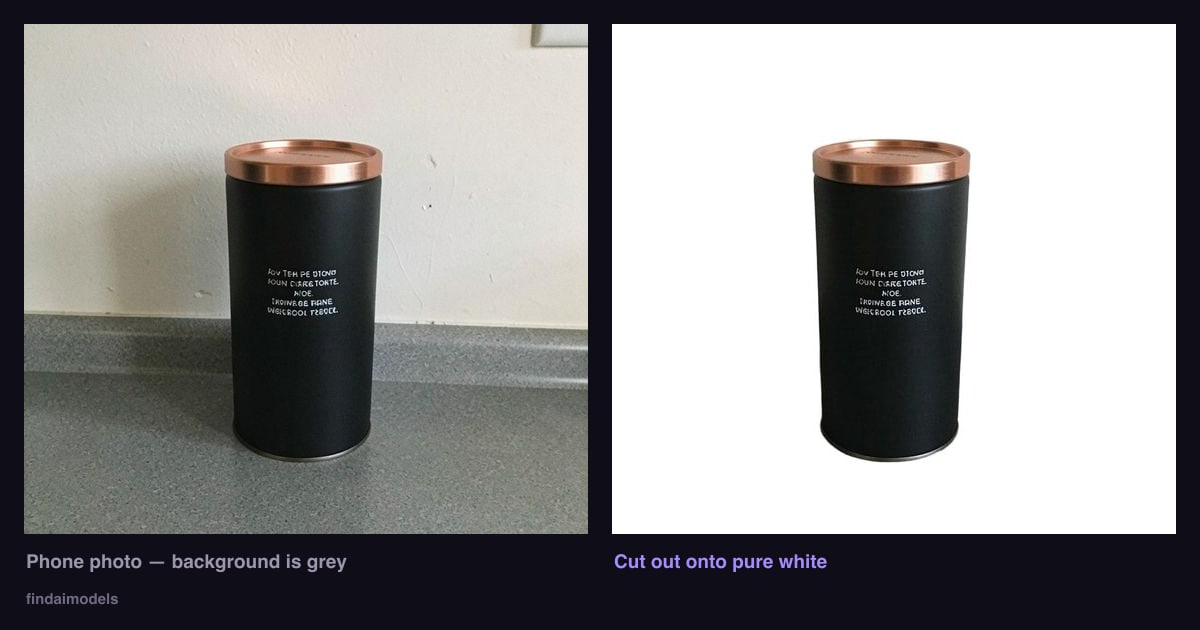
Amazon requires the main image of most listings to sit on a pure white background. Not off-white, not light grey — RGB 255,255,255. Here is what that means in practice, why photos that look white get rejected, and what it costs to fix.
The rule
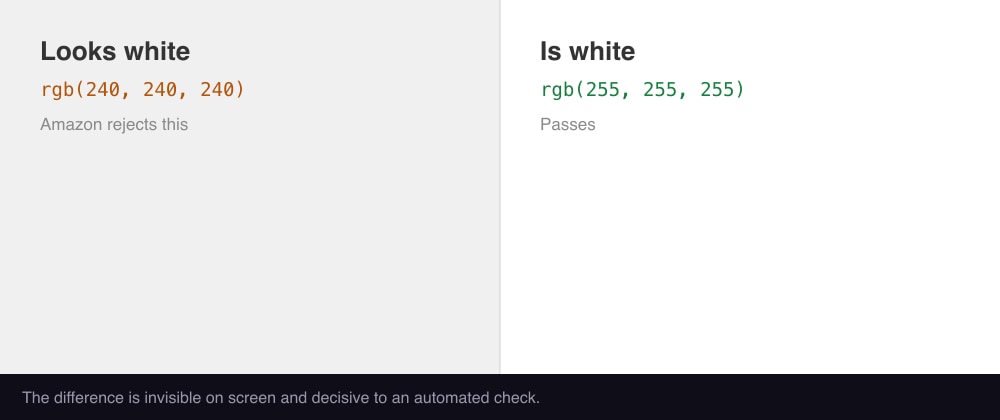
Amazon’s image standards say the main image must have a pure white background, which the site renders seamlessly against its own white page. The specific value is RGB 255, 255, 255. The product should fill roughly 85% of the frame, and the main image cannot contain text, logos, borders, watermarks or props.
Most sellers get the framing right and fail on the background. The reason is that a photo taken against a white wall or a white sheet of paper is almost never 255,255,255. Paper takes on the colour of the room light. A wall has shadows. Your camera meters for the product and lands the background at 240-ish grey, which looks white on your screen and reads as grey to an automated check.
Quick test: open the photo, use any colour picker on the corner furthest from your product, and read the RGB value. If it is not 255, 255, 255 you do not have a white background — you have a light grey one.
Why "just brighten it" makes things worse
The obvious fix is to raise exposure or pull the levels until the background clips to white. This works, briefly, and then costs you the product. Pushing the background from 240 to 255 pushes every light part of your product up by the same amount: white packaging goes flat, chrome loses its edge, and the outline of a pale product dissolves into the background it is supposed to stand against.
You have not removed the background. You have removed the difference between the background and the parts of the product that were nearly as bright.
What actually works
| Approach | Cost | Trade-off |
|---|---|---|
| Lightbox / light tent | $25–100 once | Still needs an edit to reach true 255; awkward for large items |
| Manual cut-out in Photoshop / GIMP | Free–$25/mo + your time | 10–20 min per product once you are good at it |
| Freelance editor | $0.50–3 per image | Turnaround measured in days; quality varies |
| Automated cut-out tool | $0.20–2 per image | Struggles with hair, glass, and busy backgrounds |
All of these do the same thing underneath: separate the product from whatever is behind it, then put a true white behind it instead. The background is not corrected, it is replaced. That is the only approach that gets you to exactly 255,255,255 without touching a single pixel of the product.
The part most guides skip
The hard part is not the white. It is the edge. A cut-out is only as good as the boundary it draws, and three things reliably break it:
- Low contrast. A white shoe on a white table has no boundary to find. Shoot pale products against something dark, and dark products against something light — the opposite of what feels natural.
- Busy surfaces. A patterned tablecloth gets absorbed into the product. A plain wall or a single sheet of paper is worth more than any camera upgrade.
- Touching the frame edge. If the product runs off the side of the photo there is no boundary there at all, and no tool can invent one.
Get those three right in the original photo and almost any method works. Get them wrong and you will be paying someone to mask it by hand.
Transparent PNG is worth asking for
Once a product has been cut out, white is only one of the things you can put behind it. A transparent PNG of the same cut-out lets you drop the product onto a coloured banner, a lifestyle scene or a slide without redoing the work. If you are paying for a cut-out anyway, take both files — the second one costs nothing extra to produce and saves the whole job later.
One thing not to bake in: a drop shadow. A shadow made for a white background is wrong on every other background, and Amazon’s check can reject it outright.
Two files, ninety-nine cents
CutOut takes one phone photo and returns a 1600×1600 pure-white JPEG that passes the border check, plus a 2000×2000 transparent PNG. Your product is cut from your own pixels and never redrawn, so printed text and packaging stay exactly as photographed.
Try CutOut →